







Summary
- Lead management tools for web forms automatically capture, organize, and assign incoming leads, eliminating manual data entry and missed follow-ups.
- Key features like automated routing, real-time notifications, and lead qualification ensure faster response times and higher conversion rates.
- A well-configured system improves speed-to-first-contact, streamlines sales workflows, and helps teams track ROI more effectively.
Lead management tools that capture leads from web forms collect visitor data automatically, organize it, route it to the right salesperson, and track it through your pipeline. No manual data entry. No missed follow-ups. No leads falling through the cracks.
This guide covers tool selection, setup, and optimization for web form lead capture. It doesn’t cover general marketing automation platforms or social media lead generation tools. If you’re on a sales team, a marketing team, or you own a business — and you want to streamline lead management from your website forms — this is for you.
Understanding Lead Management for Web Forms
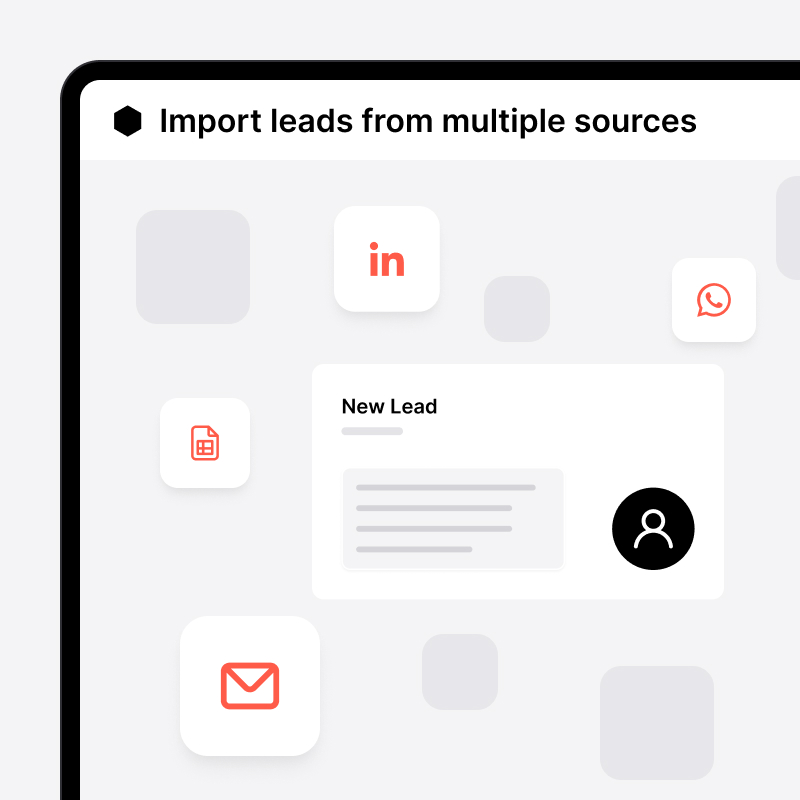
Lead management tools sit between your web form and your sales team. They receive form submissions, create structured lead records, and make sure the right person gets notified and is accountable for follow-up.
Why manual form management fails:
- Form submissions land in a shared inbox. No clear ownership. No follow-up accountability.
- Sales reps copy contact details into spreadsheets or CRMs by hand. It’s slow, error-prone, and demoralizing.
- No visibility into which lead capture forms generate the most promising leads or which reps respond fastest.
How web form lead capture works technically:
Most tools use one of three integration methods:
- Email-based: Your form sends a notification email. The tool parses it. A lead is created automatically. This works with any contact form.
- Native integration: A pre-built connector links your form provider directly to your CRM.
- No-code automation (Zapier/Make): Middleware connects form submissions to lead creation in your CRM. This supports thousands of form providers at once.
Once captured, the lead data enters a routing system. That system decides who gets the lead and when.
Understanding these mechanics helps you evaluate which key features actually matter in a lead capture software.
Key Features of Web Form Lead Management Tools
Not all lead generation tools handle web forms equally. These features separate tools that streamline lead management from those that store lead data.
Automated Lead Routing and Assignment
Good tools assign incoming form leads automatically. No one needs to decide who handles a new submission.
- Round-robin distribution cycles leads evenly across available reps.
- Territory-based routing assigns leads based on geography or account type.
- Skill-based assignment matches the lead’s need to the most qualified rep.
The best setups need zero intervention. The moment a prospect submits a form, the right salesperson already has the lead in their queue.
Real-Time Notifications and Alerts
Speed to first contact is one of the strongest predictors of lead conversion. The faster a rep is notified, the more likely they reach a warm prospect.
Best-in-class tools send instant notifications (email, mobile push, or in-app alert) the moment a form is submitted.
The most effective setups surface new leads directly in the rep’s active task list. Not buried in an email thread. The follow-up action is immediate and impossible to miss.
Lead Scoring and Qualification
Not every form submission represents the same opportunity. Lead scoring helps reps prioritize leads based on potential value.
Behavioral scoring factors in form type, page visited, and fields completed. Demographic scoring weighs company size, role, or location.
A lightweight approach: route all inbound leads to a dedicated “To Qualify” pipeline step. Reps work them before they enter the main sales process.
Summary: The non-negotiables are automated lead routing, instant notifications, and some form of qualification layer. Everything else is secondary.
These features are only valuable if they’re configured right, which brings us to implementation.
Setting Up Web Form Lead Management
Here’s how to implement a web form lead capture system from scratch. These steps work regardless of which tool you choose.
Implementation Steps
- Choose and configure your lead management platform: Prioritize tools that support your existing form providers natively. Or pick one that offers a universal fallback method (like email-based integration) so nothing is left out. Configure pipelines, lead fields, and user accounts before connecting any forms.
- Create web forms with proper field mapping: Make sure each form field (name, email, phone, company, message) maps to a corresponding lead field in your tool. Avoid collecting fields your team won’t use. Shorter lead forms convert better and produce cleaner customer data.
- Set up automated routing rules and lead scoring: Define who receives which leads and under what conditions. The simplest approach: assign by form. All leads from the pricing page contact form go to rep A. All leads from the demo request form go to rep B. More advanced: conditional routing based on form field values.
- Configure notifications and follow-up workflows: Set up instant rep notifications for every new form lead. Add an automated acknowledgment email to the prospect confirming their submission was received. Both steps close the loop on both sides of the handoff. This helps nurture leads from the first moment.
- Test the complete lead capture-to-close process: Submit a test entry and follow it all the way through. Does the lead appear correctly? Is it assigned to the right rep? Does the rep receive a notification? Are tags and pipeline steps applied correctly? Fix any gaps before going live.
Supported Forms List — Compatible Form Providers
A lead management tool is only useful if it works with the forms you already have. noCRM is a strong example of what broad form compatibility looks like in practice. It supports lead capture through native integrations and no-code integrations. Here are some of the form apps officially compatible with noCRM:
- Typeform ✓
- JotForm ✓
- Wufoo ✓
- Google Forms ✓
- Facebook Lead Ads ✓
How to Choose the Right Tool
Here’s what to evaluate when selecting lead capture software for web form capture:
Form compatibility: Does it support your current form tools out of the box? Does it offer a universal fallback (email method or Zapier) for forms it doesn’t natively support?
Ease of setup: Can a sales manager or admin configure the integration without developer help? No-code setup is the standard for 2026.
Pipeline fit: Does the tool reflect how your sales team works? Or does it require your team to adapt to its logic? Tools built around salespeople (not data managers) tend to see higher adoption.
Assignment and routing flexibility: Can leads be auto-assigned based on form type, territory, or rep availability? Or does everything land in a shared inbox?
Follow-up enforcement: Does the tool make sure every new form lead gets a next action? The best tools make it impossible to let a lead go cold. They use to-do statuses, reminders, and pipeline visibility to convert leads effectively.
The right tool is the one your sales team will use. A simple tool with high adoption beats a feature-rich one that reps avoid. This makes all the difference in your lead generation efforts.
Common Challenges and Solutions
Even well-designed lead capture systems break down in predictable ways. Here are the three most common issues and how to fix them.
Lead Data Quality and Duplication Issues
The problem: The same prospect submits multiple forms. Or fields arrive inconsistently formatted. This creates duplicate records and unreliable pipeline data.
The solution: Implement data validation rules at the form level. Use required fields, email format checks, and field character limits. Configure duplicate detection in your lead management tool. For high-volume teams, automation filters can check for an existing lead record before creating a new one.
Slow Response Times to Web Form Submissions
The problem: Form leads sit uncontacted for hours or days. Notification emails go unread. Leads aren’t assigned to anyone specific.
The solution: Set up instant rep notifications through your lead tool’s mobile app or push alerts. Send an automated acknowledgment email to the prospect confirming receipt. The most effective setup surfaces new leads directly in the rep’s active task list, not in email, so urgency is built into the interface itself. This helps capture leads at peak interest.
Poor Lead-to-Sales Handoff Process
The problem: Marketing captures the lead but sales doesn’t receive the context. The source, the campaign, what the prospect asked for, it’s all missing.
The solution: Use automated tagging and pipeline routing to pass context alongside the lead. When the lead arrives already labeled with its source, campaign, and form type, sales reps can prioritize and personalize their outreach immediately. No chasing the marketing team for background. Sales and marketing teams stay aligned.
Conclusion and Next Steps
Automating web form lead capture removes the biggest bottleneck between a prospect expressing interest and a salesperson making contact. The technology to do this is available to teams of any size, without developer help.
Immediate next steps:
- Audit your current forms. Which ones have no automated handoff to your sales tool?
- Choose a tool that supports your existing form providers (or offers a universal fallback)
- Set up basic automation and test the full flow end-to-end
- Measure response time before and after: it’s the clearest early indicator of impact
Ready to capture more leads and convert prospects faster? Start your noCRM free trial and see how automated lead capture transforms your sales process.
Capture and convert web form leads instantly