COMPARE noCRM
noCRM vs the others: find the right sales tool for your business

Compare noCRM to Pipedrive, Salesforce, Zoho CRM, monday CRM, Freshsales, and Less Annoying CRM on setup time, training, integrations, pricing, and support, and find the tool that fits how you sell.

Setup Time
Training Required
Ongoing Maintenance
Cold Prospecting
Follow-ups
Pricing Structure

Time to First Value

Mandatory Data Entry

WhatsApp compatibility


Reporting & Analytics

Quotes & Invoicing

Mobile App

Built For

noCRM

Minutes with simple plug-and-play setup
Basic orientation is enough
Lightweight and easy to manage
Work prospects first, create leads only when qualified
Standby leads always have a reminder for the next action
Transparent pricing with every feature included, no forced add-ons or setup fees
Immediate: the Lead Clipper turns any webpage or LinkedIn profile into a lead in one click
Zero mandatory fields, reps log actions naturally without filling out forms first
A free, dedicated Chrome extension creates leads and logs WhatsApp conversations in one click
Essential pipeline and team reports, enough to act on without a manager's dashboard
Built-in quotes and invoices, so you can close the sale without ever leaving noCRM
Native iOS and Android apps with offline mode, built for reps selling in the field
The "Anti-CRM": built for salespeople to take action and close deals, not to build reports

Pipedrive

More configuration before your process is fully set up
Broader CRM functionality to learn
More CRM data and structure to keep organized
Create/link CRM contact records for leads
Leads don’t require a scheduled next activity
Some capabilities require higher plans or paid add-ons
Fast for basic pipeline use, but full value takes a few weeks once automations are set up
Minimal at entry tiers, but required fields appear once automation and reporting are configured
No dedicated tool, connecting WhatsApp means routing through Zapier or a generic browser extension
Deeper reporting and forecasting tools, built for managers tracking team performance
No native invoicing, so quotes and billing require a separate app or add-on
A capable mobile app, but some features lag behind the desktop experience
Sales-focused, but broadens into general CRM structure as you move up plan tiers

noCRM vs Pipedrive: quale approccio CRM è più adatto al tuo team di vendita?
Read out more
Time to First Value

Setup Time

Training Required


Mandatory Data Entry

Ongoing Maintenance

WhatsApp compatibility

Integration

Quotes & Invoicing

Pricing

Support
Mobile App
Reporting & Analytics
Built For

noCRM

Immediate: the Lead Clipper turns any webpage or LinkedIn profile into a lead in one click
Minutes, not weeks: import your leads and start working them immediately, with zero configuration
None beyond a 10-minute walkthrough. If your team can use a to-do list, they're ready
Zero mandatory fields, reps log actions naturally without filling out forms first
Zero admin overhead, with no data-entry police, no field cleanup, no dedicated CRM manager needed
A free, dedicated Chrome extension creates leads and logs WhatsApp conversations in one click
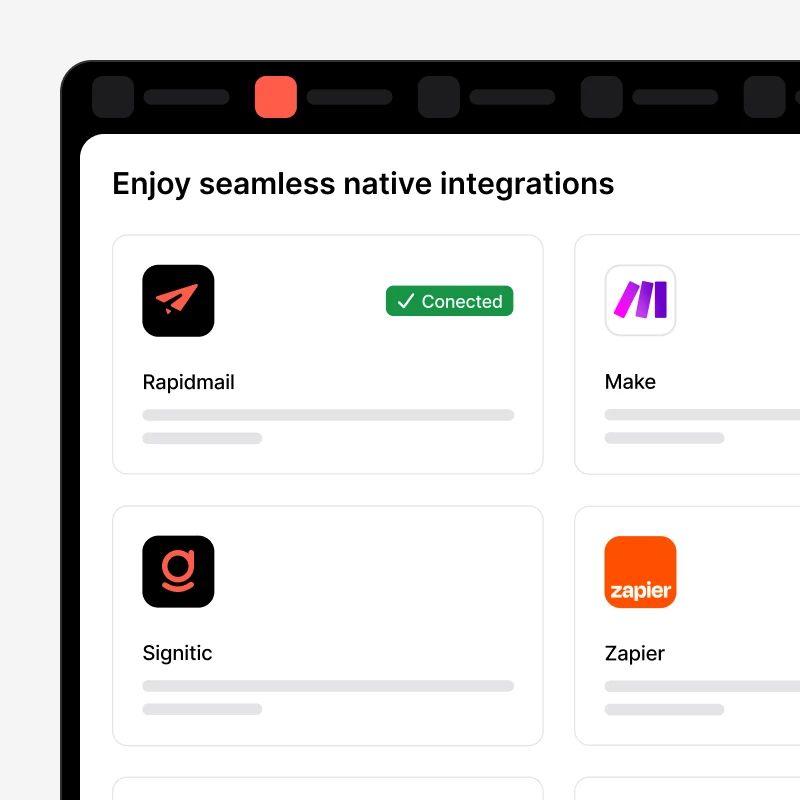
5,000+ integrations via Zapier and native tools, plus a free WhatsApp Chrome extension and native VoIP
Built-in quotes and invoices, so you can close the sale without ever leaving noCRM
Transparent per-user pricing with every core feature included, no forced add-ons, no setup fees
Real humans on live chat and email, on every plan, plus free onboarding to get you started
Native iOS and Android apps with offline mode, built for reps selling in the field
Essential pipeline and team reports, enough to act on without a manager's dashboard
The "Anti-CRM": built for salespeople to take action and close deals, not to build reports

Zoho CRM

Blueprints and layouts take time to configure before the system feels ready
2 to 4 weeks to reach a usable baseline, building blueprints, layouts, and custom modules
Teams without a dedicated admin routinely feel overwhelmed during the first week
Custom modules and layouts often need structured fields to unlock automation
Blueprints and workflow rules require continual upkeep as your process changes
Comes with a native WhatsApp channel, but setup and cost sit inside Zoho's ecosystem
Native WhatsApp Business API inside its own ecosystem, but often at extra cost
Available through Zoho's own invoicing app, a separate product to set up and pay for
Free entry-level tier for small teams, then tiered per-user pricing across several plans, plus optional paid onboarding
Inconsistent response times on non-premium plans is a recurring complaint in reviews
Full-featured mobile app, but users report it can feel heavier than more focused apps
Strong analytics and AI insights through Zia, scoring well for dashboard depth
Built for businesses already using other Zoho apps who want one connected ecosystem

# noCRM vs Zoho CRM: quale soluzione CRM è più adatta al tuo team di vendita?

Read out more
Time to First Value
Setup Time
Training Required
Mandatory Data Entry
Ongoing Maintenance
WhatsApp compatibility
Integration
Quotes & Invoicing
Pricing
Support
Mobile App
Reporting & Analytics
Built For

noCRM

Immediate: the Lead Clipper turns any webpage or LinkedIn profile into a lead in one click
Minutes, not weeks: import your leads and start working them immediately, with zero configuration
None beyond a 10-minute walkthrough. If your team can use a to-do list, they're ready
Zero mandatory fields, reps log actions naturally without filling out forms first
Zero admin overhead, with no data-entry police, no field cleanup, no dedicated CRM manager needed
A free, dedicated Chrome extension creates leads and logs WhatsApp conversations in one click
5,000+ integrations via Zapier and native tools, plus a free WhatsApp Chrome extension and native VoIP
Built-in quotes and invoices, so you can close the sale without ever leaving noCRM
Transparent per-user pricing with every core feature included, no forced add-ons, no setup fees
Real humans on live chat and email, on every plan, plus free onboarding to get you started
Native iOS and Android apps with offline mode, built for reps selling in the field
Essential pipeline and team reports, enough to act on without a manager's dashboard
The "Anti-CRM": built for salespeople to take action and close deals, not to build reports

Monday CRM

Templates help you start fast, but real value takes time once boards are customized
Quick to get boards running with templates, but building a true CRM workflow takes longer to configure properly
Visual and intuitive for basics, but advanced automations and endless board options add complexity
Boards can require specific fields, depending on how each one is set up
Boards need active upkeep, since there's no standard structure and every board can look different
No native WhatsApp option, so teams connect it manually through Zapier or Make
200+ integrations, but no WhatsApp option, so you're stuck routing it through Zapier or Make
Built-in invoicing and quoting tools are included, unlike most sales-focused CRMs
Per-seat pricing with a team-size minimum, plus usage caps that push most teams to a higher tier
Solid, but priority support is locked behind the top-tier plan only
A solid mobile app for tracking boards, though less tailored to on-the-road sales calls
Custom dashboards and real-time progress tracking across connected boards
Built for teams that want sales to connect with marketing, ops, and project management

noCRM vs Monday CRM: quale piattaforma di vendita è più adatta alla tua azienda?

Read out more
Time to First Value
Setup Time
Training Required
Mandatory Data Entry
Ongoing Maintenance
WhatsApp compatibility
Integration
Quotes & Invoicing
Pricing
Support
Mobile App
Reporting & Analytics
Built For

noCRM

Immediate: the Lead Clipper turns any webpage or LinkedIn profile into a lead in one click
Minutes, not weeks: import your leads and start working them immediately, with zero configuration
None beyond a 10-minute walkthrough. If your team can use a to-do list, they're ready
Zero mandatory fields, reps log actions naturally without filling out forms first
Zero admin overhead, with no data-entry police, no field cleanup, no dedicated CRM manager needed
A free, dedicated Chrome extension creates leads and logs WhatsApp conversations in one click
5,000+ integrations via Zapier and native tools, plus a free WhatsApp Chrome extension and native VoIP
Built-in quotes and invoices, so you can close the sale without ever leaving noCRM
Transparent per-user pricing with every core feature included, no forced add-ons, no setup fees
Real humans on live chat and email, on every plan, plus free onboarding to get you started
Native iOS and Android apps with offline mode, built for reps selling in the field
Essential pipeline and team reports, enough to act on without a manager's dashboard
The "Anti-CRM": built for salespeople to take action and close deals, not to build reports

Freshsales

One of the faster CRMs to set up, often live and usable within a week
Can be live within a week, one of the faster CRMs to deploy
Generally easy to use, though the AI features take time to become useful as they learn your data
Light by default, though more fields appear once AI lead scoring is configured
Low for core sales use, more oversight needed once AI scoring and workflows are added
No dedicated WhatsApp tool, typically connected through a third-party app or Zapier
Solid native integrations with Freshworks apps, but WhatsApp needs a third-party connector
No native quoting or invoicing, usually paired with a separate billing tool
Free entry-level tier for small teams, then tiered per-user pricing, with marketing contact limits on higher plans
24/7 support included, though some users report slower response times during peak periods
A capable mobile app, in line with the desktop experience
Solid reporting for a mid-market CRM, with AI-based lead scoring built in
Built for growing sales teams that want AI-assisted lead scoring alongside core CRM features

noCRM vs Freshsales: quale CRM è più adatto al tuo team di vendita?

Read out more
Time to First Value
Setup Time
Training Required
Mandatory Data Entry
Ongoing Maintenance
WhatsApp compatibility
Integration
Quotes & Invoicing
Pricing
Support
Mobile App
Reporting & Analytics
Built For

noCRM

Immediate: the Lead Clipper turns any webpage or LinkedIn profile into a lead in one click
Minutes, not weeks: import your leads and start working them immediately, with zero configuration
None beyond a 10-minute walkthrough. If your team can use a to-do list, they're ready
Zero mandatory fields, reps log actions naturally without filling out forms first
Zero admin overhead, with no data-entry police, no field cleanup, no dedicated CRM manager needed
A free, dedicated Chrome extension creates leads and logs WhatsApp conversations in one click
5,000+ integrations via Zapier and native tools, plus a free WhatsApp Chrome extension and native VoIP
Built-in quotes and invoices, so you can close the sale without ever leaving noCRM
Transparent per-user pricing with every core feature included, no forced add-ons, no setup fees
Real humans on live chat and email, on every plan, plus free onboarding to get you started
Native iOS and Android apps with offline mode, built for reps selling in the field
Essential pipeline and team reports, enough to act on without a manager's dashboard
The "Anti-CRM": built for salespeople to take action and close deals, not to build reports

Less Annoying CRM

Simple enough to start using the same day, with almost nothing to configure first
Same-day setup, on par with noCRM, though that's where the similarities end
Minimal, just like noCRM. Both are built to be usable from day one
Minimal by design, consistent with its overall simplicity philosophy
Very low, but its fixed feature set leaves little room for more complex processes
No WhatsApp option at all, among its short list of native integrations
Only about 10 native integrations, and no WhatsApp option at all
No built-in quotes or invoices, since it's a contact manager, not a billing tool
One flat per-user price, with no tiers or hidden fees
Genuinely excellent, real-human support, one of the few areas where it matches noCRM's standard
A mobile app launched recently, still newer and less complete than established players
Basic activity and pipeline reports only, not built for deep analytics
Built for small, relationship-driven teams that just need simple contact management
Time to First Value
Setup Time
Training Required
Mandatory Data Entry
Ongoing Maintenance
WhatsApp compatibility
Integration
Quotes & Invoicing
Pricing
Support
Mobile App
Reporting & Analytics
Built For

noCRM

Immediate: the Lead Clipper turns any webpage or LinkedIn profile into a lead in one click
Minutes, not weeks: import your leads and start working them immediately, with zero configuration
None beyond a 10-minute walkthrough. If your team can use a to-do list, they're ready
Zero mandatory fields, reps log actions naturally without filling out forms first
Zero admin overhead, with no data-entry police, no field cleanup, no dedicated CRM manager needed
A free, dedicated Chrome extension creates leads and logs WhatsApp conversations in one click
5,000+ integrations via Zapier and native tools, plus a free WhatsApp Chrome extension and native VoIP
Built-in quotes and invoices, so you can close the sale without ever leaving noCRM
Transparent per-user pricing with every core feature included, no forced add-ons, no setup fees
Real humans on live chat and email, on every plan, plus free onboarding to get you started
Native iOS and Android apps with offline mode, built for reps selling in the field
Essential pipeline and team reports, enough to act on without a manager's dashboard
The "Anti-CRM": built for salespeople to take action and close deals, not to build reports

Salesforce

Slower to show value, since most teams need weeks of setup before the first deal moves through
Weeks for a small team, and 6 to 18 months for anything bigger
A genuinely steep learning curve that usually requires a certified consultant just to get started
Required fields and validation rules are standard practice, usually set by an admin
Needs a dedicated admin permanently on staff to manage workflows, permissions, and required fields
WhatsApp usually means a paid add-on or custom development, not a built-in feature
A huge marketplace on paper, but WhatsApp usually means a paid add-on or a developer
No native invoicing on Sales Cloud, so billing typically needs a separate add-on
Per-user licensing that scales steeply by edition, often with significant separate implementation costs
Premium and dedicated support tiers cost extra, on top of the license fees
A full-featured mobile app, though some admins report a learning curve on smaller screens
Best-in-class reporting and AI-driven forecasting, built for enterprise oversight
Built for large organizations that need enterprise-wide data and reporting across departments

noCRM vs Salesforce: quale piattaforma CRM è più adatta al tuo team di vendita?

Read out more

Join 8000+ salespeople closing more deals with noCRM

From solopreneurs, growing businesses to established teams, companies in over 80 countries rely on noCRM to take action, close deals, and grow their business faster.

Aucun élément trouvée...

Nous n’avons trouvé aucun élément pour cette collection.

Next

Focus on selling, not on admin

noCRM is the action-driven sales management tool built to cut admin and close more deals.

No credit card required
Set up your pipeline in minutes
Start managing leads instantly

Domande frequenti

Hai una domanda?

C'è una prova gratuita? Devo inserire la mia carta di credito per iniziare?

Ogni piano include una prova gratuita di 15 giorni (senza carta di credito) che ti dà un accesso completo a tutte le funzionalità prima di prendere una decisione. Aggiungi i tuoi dati di pagamento per estendere la prova a 30 giorni. Quando la tua prova scade, puoi passare ad un piano a pagamento in qualsiasi momento, oppure il tuo account verrà semplicemente messo in pausa finché non sarai pronto/a per abbonarti.

Quale piano fa per me?

  • Se vendi da solo/a o gestisci una pipeline unica, il piano Starter è un modo semplice e veloce per organizzare le opportunità di vendita e chiuderle.
  • Il piano Expert è la scelta migliore per la maggior parte dei team: combina pipeline e follow-up illimitati, preventivi e fatture, personalizzazione completa e oltre 3.000 integrazioni.
  • Se la tua azienda sta crescendo rapidamente e hai bisogno di automazioni avanzate e un monitoraggio a 360 gradi, il piano Dream spinge tutto ancora oltre per potenziare la crescita aziendale.

Puoi passare tra i piani Starter, Expert e Dream in qualsiasi momento. Le modifiche entrano in vigore immediatamente e la fatturazione avviene alla data di rinnovo per i piani mensili. Per i piani annui invece, l’account viene addebitato immediatamente con un importo proporzionale. Se hai un piano annuo o un prezzo speciale, contatta il supporto prima di cambiare. Nota che il piano Starter include un limite di dati: se lo superi, dovrai ridurre il numero di dati prima di effettuare il downgrade.

Il supporto è incluso nel prezzo?

Sì! Ogni piano include supporto e risorse per aiutarti ad iniziare rapidamente: accesso alla nostra knowledge base, FAQ e formazione online gratuita, supporto umano reale tramite chatbot, email e live chat, possibilità di lavorare con partner certificati per l'onboarding e la configurazione. Con il piano Dream vai ancora oltre: supporto prioritario con escalation delle chiamate, onboarding e formazione personalizzati per team da 5 utenti.

Come viene calcolato il prezzo? Al mese o all'anno? Per utente o per account?

Tutti i nostri piani vanno ad utente. In questo modo, paghi solo per le persone che hanno effettivamente bisogno di accedere a noCRM, niente di più. Puoi aggiornare la lista degli utenti in qualsiasi momento in base alle tue esigenze.

Offrite sconti per la fatturazione annuale?

Sì. Il piano annuo include uno sconto rispetto al piano mensile. Risparmi denaro pur mantenendo le vendite monitorate.

noCRM offre prezzi speciali per organizzazioni no profit, startup o istruzione?

Al momento non abbiamo sconti dedicati per questi gruppi. Tuttavia, il nostro team di Customer Success sarà felice di esaminare il tuo caso e farti sapere se ci sono offerte stagionali o promozioni disponibili per il tuo account.

Quanti utenti posso avere nel mio account?

Quanti ne vuoi. Tuttavia, se gestisci più team, solo il piano Dream ti fornisce gli strumenti avanzati per mantenerli sotto controllo. Con Dream, sblocchi più ruoli e opzioni di riservatezza, di fuso orario per utente, di assegnazione, di monitoraggio degli obiettivi di vendita e di sicurezza.

Cosa succede in termine di fatturazione se aggiungo o rimuovo utenti?

Quando aggiungi nuovi utenti, vengono fatturati su base proporzionale per il resto del periodo di fatturazione corrente. Se rimuovi utenti, le loro licenze rimangono attive fino alla fine di quel periodo. Se una licenza non viene riassegnata entro allora, verrà rimossa automaticamente e non ti verrà addebitata nel ciclo di fatturazione successivo.

Posso avere 2 utenti in un piano e 1 in un altro?

No. Tutti gli utenti dello stesso account devono essere sullo stesso piano. Tuttavia, puoi impostare ruoli e permessi diversi per controllare cosa ogni membro del team vede e può fare all'interno di noCRM.

Cosa succede se decido di annullare il mio abbonamento?

Puoi disdire in qualsiasi momento. Il tuo account rimarrà attivo fino alla fine del periodo di fatturazione corrente, e avrai sempre accesso all'esportazione dei tuoi dati prima di chiudere il tuo account. Per ragioni di sicurezza, i dati degli account chiuso vengono conservati per un massimo di 6 mesi.